

Submitted a Google Form… and now you’re stuck thinking:
“Wait… how do I see what I submitted?”
Yeah, this happens a lot.
Maybe it was a job application, a client form, or something important. Now you want to check, view, or just look at your answers again — but there’s no obvious place to find them.
Here’s the truth:
Google Forms does NOT have a “submitted forms history” page.
But don’t worry — there are still a few simple ways to find your responses.
I’ll walk you through them step by step.
Key Takeaways
- Google Forms does not have a built-in list where you can see all the forms you submitted.
- The fastest way to view your response is right after submission using the “View your response” link (if enabled).
- The most reliable way to check your submitted Google Form later is by searching your email for a response receipt.
- If you still have the form link, open it while logged into the same Google account to try to look at your answers again.
- If you lost the link, your browser history (Ctrl + H / Cmd + Y) can help you find and reopen the form.
- If nothing works, you’ll need to contact the form owner to confirm or get a copy of your submission.
The Fastest Way (If You Just Submitted the Form)
Right after you hit Submit, Google Forms shows a confirmation page.
This page usually says something like:
“Your response has been recorded”
Sometimes, you’ll also see:
- View your response
- Edit your response
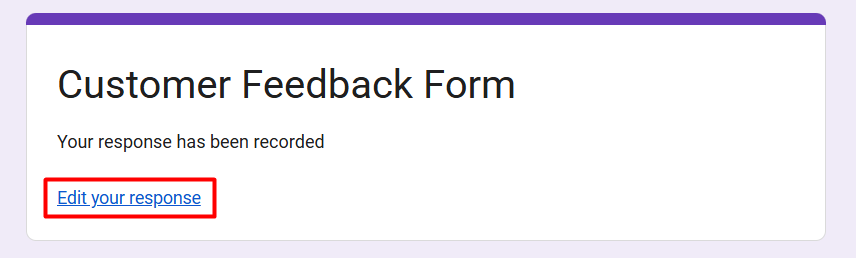
If you still have that page open, click “Edit your response”
That’s the easiest way to see the Google Form you filled out.
Method 1: Check Your Email (Most Reliable Way)
If the form owner enabled it, Google will send you a copy of your answers.
Here’s what to do:
- Open your Gmail
- Search for:
- “Google Forms”
- “Your response has been recorded”
- The form name
- Open the email
If available, you’ll see:
- Your full answers
- Sometimes a link to view or edit your response
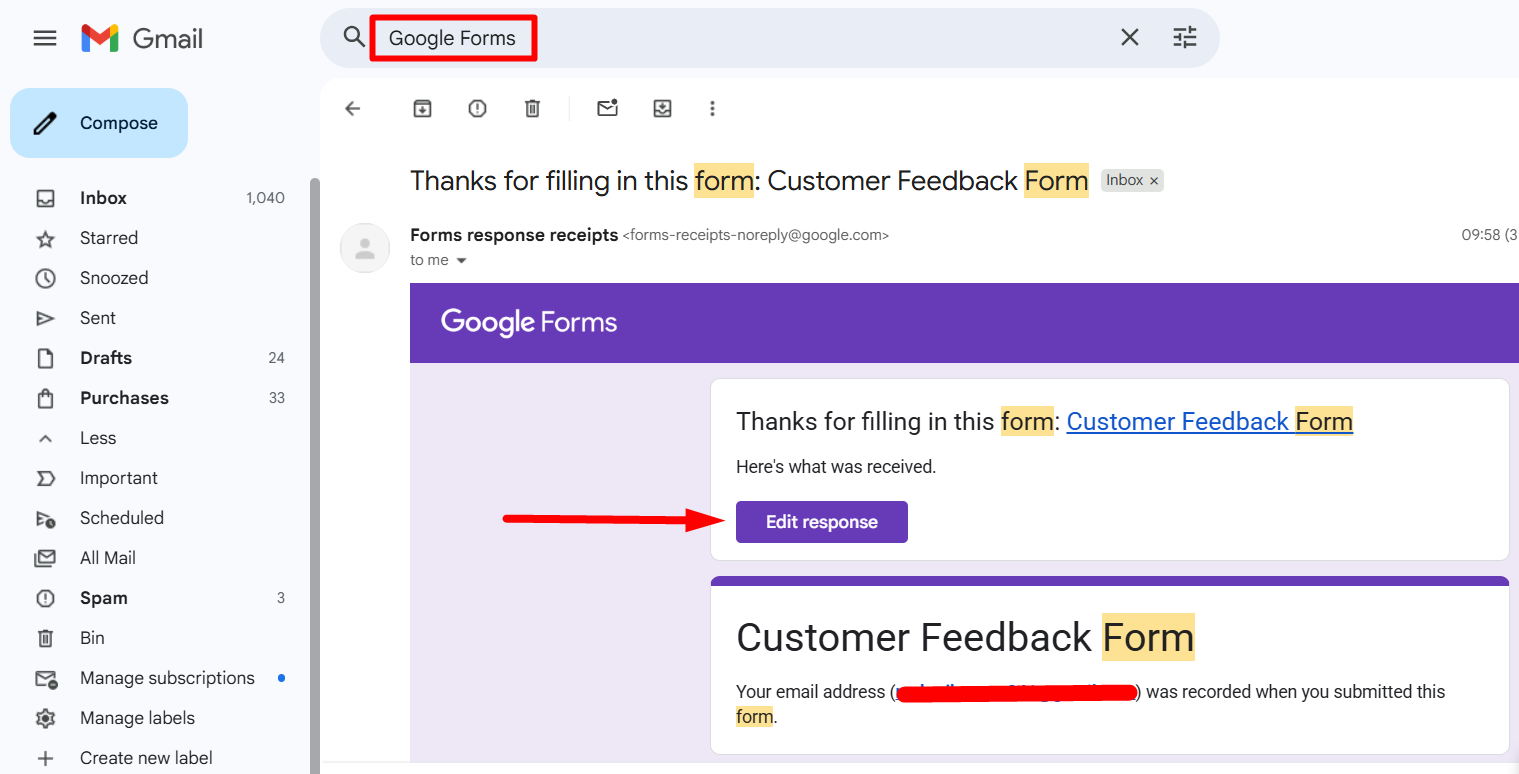
This is the easiest way to check your submitted Google Form later
Tip: Also check Spam, Promotions, and Updates tab.
Method 2: Open the Form Again (Works in Some Cases)
If you still have the form link, try opening it again.
Steps:
- Open the original form link
- Make sure you’re logged into the SAME Google account
- See what shows up
If the form allows it, you’ll see:
- “Edit your response”
- Or your previous answers
This lets you view the Google Form you submitted
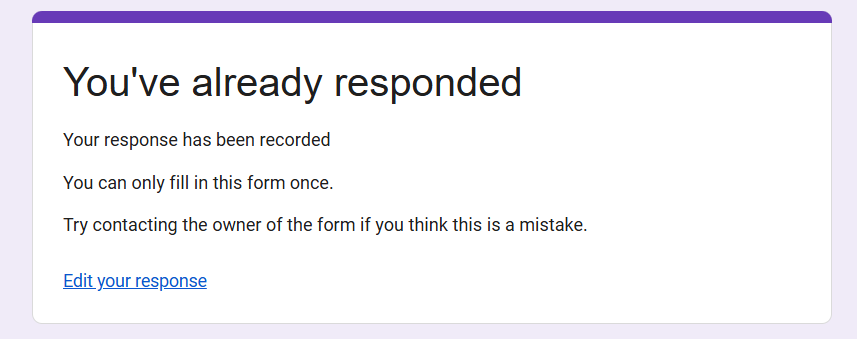
This only works if the form owner enabled:
- “Collect email addresses”
- “Allow response editing”
📖 You May Also Like This “Google Form” Article: Email Notifications for Google Forms (Set It Up in 2 Minutes)
Method 3: Check Your Browser History
Lost the link? No problem.
Your browser might still have it.
Steps (Chrome):
- Press Ctrl + H
- Search:
- “Google Forms”
- Or type: fbzx
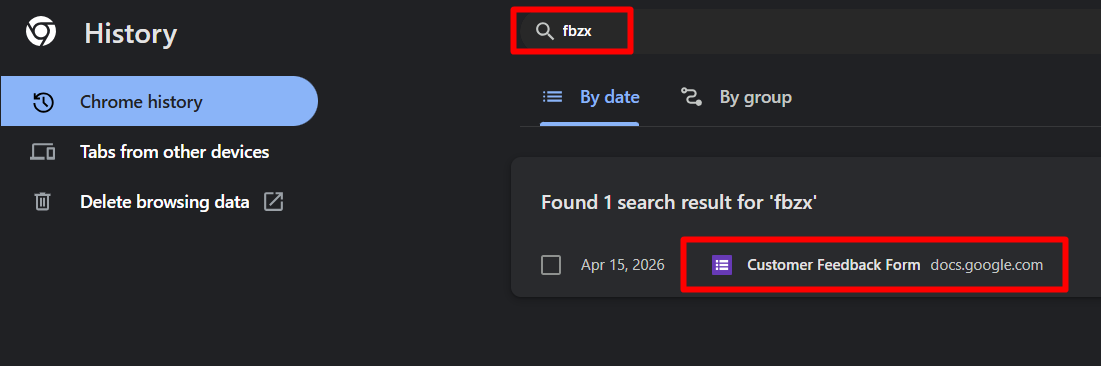
- Look for the form you opened
- Click it
This helps you find and open the form again to look at it
The “fbzx” trick works because Google Forms URLs include that code.
Method 4: Check Google Account Activity
If you were logged in while filling out the form, Google may have a record.
Steps:
- Go to: https://myaccount.google.com
- Click Data & Privacy
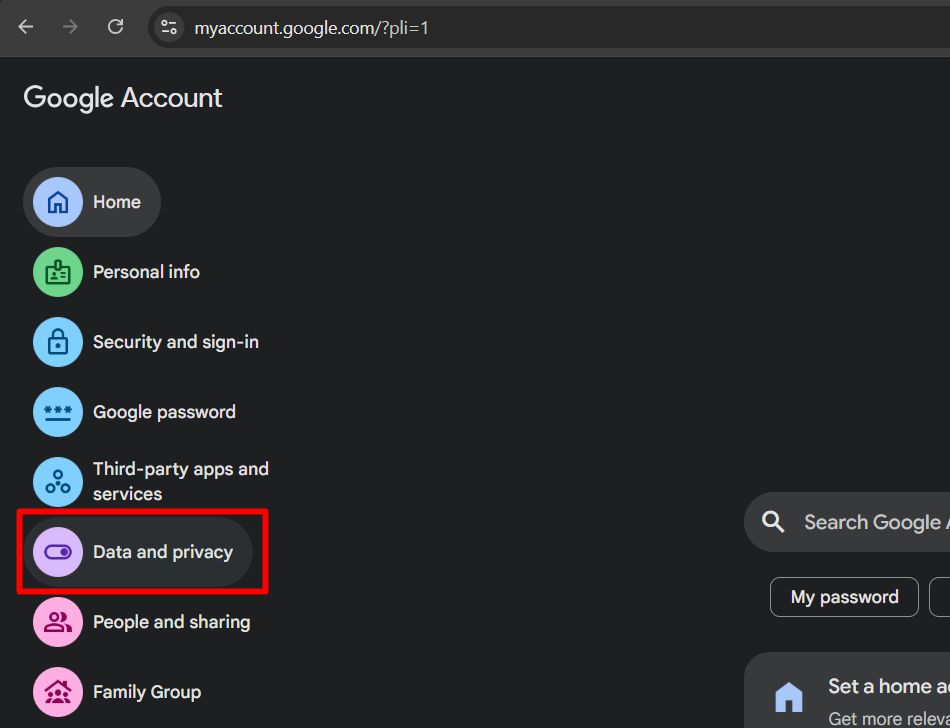
- Click on View My Activity
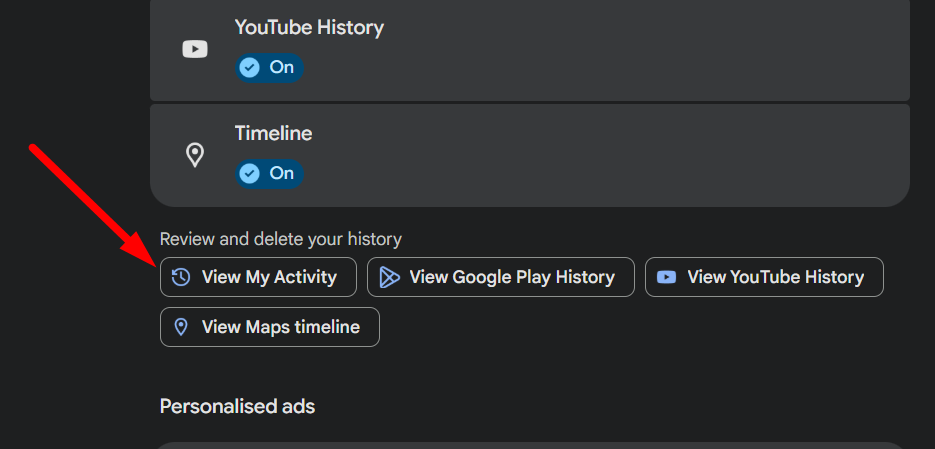
- Search for:
- “Google Forms”
- Or the form name
You’ll see:
- A timestamp of when you opened or submitted the form
You won’t see answers, but you can confirm you interacted with the form
Method 5: Contact the Form Owner (Last Option)
If nothing works, this is your fallback.
What to do:
- Contact the person who sent the form
- Ask them to:
- Confirm your submission
- Send you a copy of your responses
They can check it in seconds from their dashboard.
📖 You May Also Like This “Google Form” Article: How to Print a Google Form (Step-by-Step Guide)
Can You Edit a Google Form After Submitting It?
You can edit a submitted Google Form only when the owner has enabled response editing and you can access the unique edit link. That link may appear on the confirmation page and may also be included with a response receipt. You cannot enable editing from your own account, and submitting the form again creates a separate response when multiple submissions are allowed; it does not update the first one.
If the edit link no longer works, confirm that you are signed into the correct account and that the form is still published and accessible. If Google shows an access error, follow its request-access steps or contact the owner.
How to Confirm a Submission When You Cannot See the Answers
Use the strongest evidence available, in this order:
- A response receipt showing your recorded answers.
- A working Edit your response link that opens the submitted answers.
- An owner confirmation that your response appears in the form’s response list or linked sheet.
- A one-response message tied to the same account. This suggests a prior response exists but does not show what was submitted.
- Browser history or My Activity. These show that a page may have been visited, not that a response was submitted.
How to Avoid This Problem Next Time
This part matters.
Because once you lose access… it’s frustrating.
Do this every time:
1. Screenshot the confirmation page
- Proof + reference
2. Turn on “Send me a copy of my responses”
- If available
3. Copy your answers before submitting
- Ctrl + A → Ctrl + C → Paste somewhere
These 3 habits = you’ll never lose your responses again
Final Thoughts
If you’re trying to see Google Forms you submitted, there’s no single place to find them.
But using the methods above, you can:
- View your responses
- Check if it was submitted
- Look at your answers again
Start with the confirmation page and email — those are the most reliable.
Everything else is backup.
Frequently Asked Questions
Is there a history of all Google Forms I submitted?
No. Google Forms does not provide respondents with a central submission-history page. You must rely on a response receipt, saved edit link, original form URL, browser history, or the form owner.
Can I see my response without an email receipt?
Possibly. Use a saved Edit your response link or reopen the original form while signed into the correct account. If neither reveals the answers, ask the owner for a copy or confirmation.
Does signing in save every form I submit?
No. Sign-in may be required for access, file uploads, verified email collection, or a one-response limit, but it does not create a personal dashboard of submitted forms.
Can the form owner find my response?
Usually, if the response contains information that identifies you. If the form was anonymous, the owner may be unable to match a particular response to you.
Can I recover a response after the form is deleted or unpublished?
Not through your respondent account. A saved receipt may still show the answers, but access to the live form or edit page can stop working. Ask the owner whether they still have the response or an exported copy.